
Facebook Ads are one of the most powerful ways to grow an online business — but before your ad goes live, it must pass through Facebook’s Ads Approval Process. Many advertisers face disapproval, restrictions, or even disabled ad accounts simply because they don’t follow Facebook’s advertising policies correctly.
In this complete guide, you’ll learn how Facebook Ads approval works, why ads get rejected, how to fix disapproved ads, how long approval takes, and best practices to make sure your ads get approved every time.
This guide is specially written for platforms like DigitrixPlus.com, where digital marketers rely on Facebook Ads for business growth.
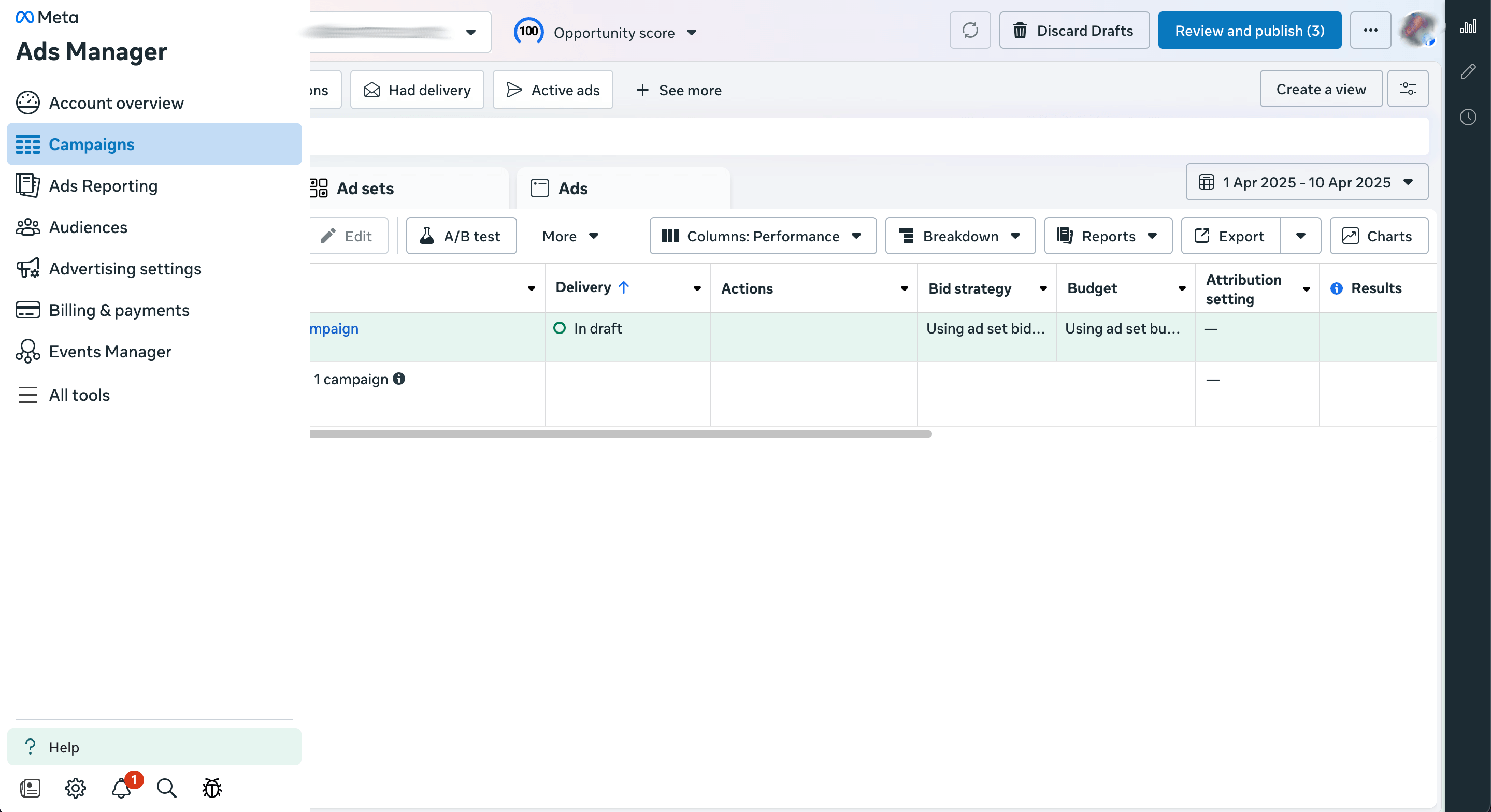
Table of Contents
- What Is Facebook Ads Approval?
- How Facebook Reviews Your Ads
- How Long Facebook Ads Approval Takes
- Most Common Reasons Why Facebook Ads Get Rejected
- Step-by-Step Guide to Fix Disapproved Ads
- Facebook Ads Policies You Must Follow
- Best Practices for Quick Approval
- Facebook Restricted Content List
- Cold Offer CTA for Your Business
- FAQs
- Final Thoughts
- Suggested Hashtags
1. What Is Facebook Ads Approval?
Facebook Ads Approval refers to Facebook’s automated and manual process that checks whether your ads meet Meta’s Advertising Policies.
When you submit an ad on Facebook or Instagram, Facebook will:
- Scan your ad image/video
- Check your ad copy
- Review your destination website or landing page
- Determine whether everything follows Facebook Ads rules
Only after the review is complete will your ad be approved or disapproved.
Learn more from Meta’s official policy page:
https://www.facebook.com/business/help/716180208457684 (reference only, not clickable here)
2. How Facebook Reviews Your Ads
Facebook uses AI + human reviewers.
Automated Review
When you publish your ad:
- AI scans text, image, video
- AI checks claims, keywords, sensitive topics
- AI checks landing pages
- Decision: Approve, Reject, or Escalate for Manual Review
Manual Review
If the automated system is unsure:
- A human reviewer checks the ad
- This may take longer (especially during high traffic periods)
3. How Long Facebook Ads Approval Takes
Most ads are approved within:
⏱ 5 minutes – 1 hour (fast approval)
⏱ Up to 24 hours (normal review)
⏱ Up to 48 hours (manual review or sensitive topics)
According to Facebook Business Help Center (high-authority source):
https://www.facebook.com/business/help/183702813995148
If your ad remains “In Review” for more than 48 hours, it may need a manual appeal.
4. Most Common Reasons Why Facebook Ads Get Rejected
Here are the top reasons ads get rejected:
1. Policy Violations
Your ad does not follow Meta’s ad rules.
Examples:
- Misleading claims
- Before/after images
- Adult content or shocking visuals
- Cryptocurrency or finance claims
- Selling restricted products
2. Incorrect Grammar or Sensational Text
Facebook rejects:
- ALL CAPS
- Overuse of emojis
- Clickbait titles
- Aggressive language
- “100% Guaranteed!” type claims
3. Poor or Misleading Landing Page
If the landing page:
- Does not match the ad
- Loads slowly
- Contains spammy pop-ups
- Has missing contact info
- Contains copyrighted or fake content
Facebook will reject the ad.
4. Using Someone’s Brand Without Permission
Facebook will reject ads using brands:
- YouTube
- TikTok
- Nike
- Apple
- Verified account logos
unless you are officially authorized.
5. Personal Attributes Violations
Facebook prohibits targeting or mentioning personal characteristics like:
- “Are you struggling with your weight?”
- “Are you a Bangladeshi Muslim aged 18–25?”
- “Do you have diabetes?”
These violate Facebook’s Personal Attributes policy.
6. Unverified Business Assets
If your:
- Page is restricted
- Business Manager isn’t verified
- Payment method has issues
- Ad account has past violations
Facebook may stop new ads from being approved.
5. Step-by-Step Guide to Fix Disapproved Ads
If your ad gets rejected, don’t panic — here’s the step-by-step process.
Step 1: Read the Rejection Reason
Go to:
Meta Ads Manager → Account Quality → Policy Issues
Here you’ll see the exact reason.
Step 2: Edit the Ad
Fix:
- Image/video
- Headlines
- Descriptions
- Landing page issues
- Restricted keywords
Step 3: Request Review (Appeal)
After editing:
- Go to Account Quality
- Click Request Review
- Provide explanation
- Submit
A human reviewer will check your ad.
Step 4: If Review Fails (Escalate)
You can escalate by contacting:
- Meta Support Chat (if available)
- Business Help Center
- Verified Business Manager Support
6. Facebook Ads Policies You Must Follow
Important Meta policies (high authority links):
- Advertising Policies
https://transparency.fb.com/policies/ads/ - Personal Data & Attributes Rules
https://www.facebook.com/policies/ads/prohibited_content/personal_attributes - Commerce Policies
https://www.facebook.com/policies/commerce
These guidelines must be followed to avoid rejection.
7. Best Practices for Quick Approval
Use these strategies for faster Facebook Ads approval:
✔ Use Simple and Clean Designs
Avoid over-editing, filters, or shocking visuals.
✔ Avoid Sensational Claims
Do NOT use:
- “Guaranteed income!”
- “Earn $500 per day”
- “Instant results!”
✔ Use Proper Grammar
Clean and professional language gets approved faster.
✔ Keep Your Landing Page Mobile-Friendly
Since most users browse on mobile.
✔ Use Original Content
Avoid using copyrighted images or videos.
✔ Warm Up the Ad Account
Start with low-risk campaigns:
- Engagement ads
- Page likes
- Video views
Then run conversion ads.
8. Facebook Restricted Content List
Facebook rejects ads related to:
❌ Adult products
❌ Cryptocurrency trading without license
❌ Gambling
❌ Loans & quick money schemes
❌ Politics
❌ Health claims
❌ Sensational or shocking content
❌ Weapons
❌ Tobacco & vapes
❌ Unsafe supplements
❌ Fake profiles or fake documents
9. CTA (Cold Offer) for Your Business
Are you struggling with Facebook Ads approval, restrictions, or account issues?
Digitrix Plus can help you fix:
- Disapproved ads
- Restricted pages
- Ad account issues
- Business Manager verification
- High-converting ad setup
👉 Get Your Facebook Ads Approved — Fast!
Message Now on DigitrixPlus.com
10. FAQs About Facebook Ads Approval
1. How long does Facebook ads approval take?
Usually 5 minutes to 24 hours.
2. Why is my ad still “In Review”?
It may be waiting for manual review.
3. Does Facebook approve ads at night?
Yes, the review system runs 24/7.
4. What if my ad gets rejected multiple times?
Fix your content, then appeal for a manual review.
5. Can I run ads for financial or crypto services?
Yes — but only with proper authorization and lawful compliance.
6. Can I boost a rejected post?
No — you must fix the violation before boosting.
7. Why is my ad account restricted?
Repeated violations, suspicious activity, or policy breaches.
8. Can I request a human review?
Yes — through the “Request Review” option.
11. Final Thoughts
Facebook Ads approval becomes easy when you understand Meta’s ad policies, create clean content, and avoid restricted topics.
If you manage your ad account professionally, you’ll never face unnecessary rejections or restrictions.
If you need help with:
- Ad account setup
- Fixing disapproved ads
- High-converting Facebook campaigns
Digitrix Plus is always ready to assist.